Request Body
Request bodies are typically used with "create" and "update" operations
(POST, PUT, PATCH) — the payload holds the data for the resource being
created or changed. To declare one, annotate a view argument with a
Schema subclass; Django Ninja parses the request's JSON body, validates
it, and passes you a fully-typed object.
Why Schema?
Under the hood, Schema is a pydantic.BaseModel subclass with a few
Django-friendly additions — see Schemas. It's named
Schema rather than Model specifically to avoid clashing with
Django's own django.db.models.Model.
Declaring a request body
Define your data shape as a class that inherits from ninja.Schema, then use
it as a type hint for a view argument:
from ninja import NinjaAPI, Schema

api = NinjaAPI()


class Item(Schema):
    name: str
    description: str | None = None
    price: float
    quantity: int


@api.post("/items")
def create_item(request, item: Item):
    return item
Item isn't itself a path or query parameter and isn't a plain scalar type,
so Django Ninja recognizes it as a body parameter automatically — there's
no need to wrap it in anything. With just that annotation, Django Ninja will:
- Read the request body and parse it as JSON.
- Convert fields to their declared types, coercing where possible.
- Validate the data, returning a
422with a precise error if it's invalid. - Give you the result as
item— a realIteminstance, with full editor completion for every attribute. - Add
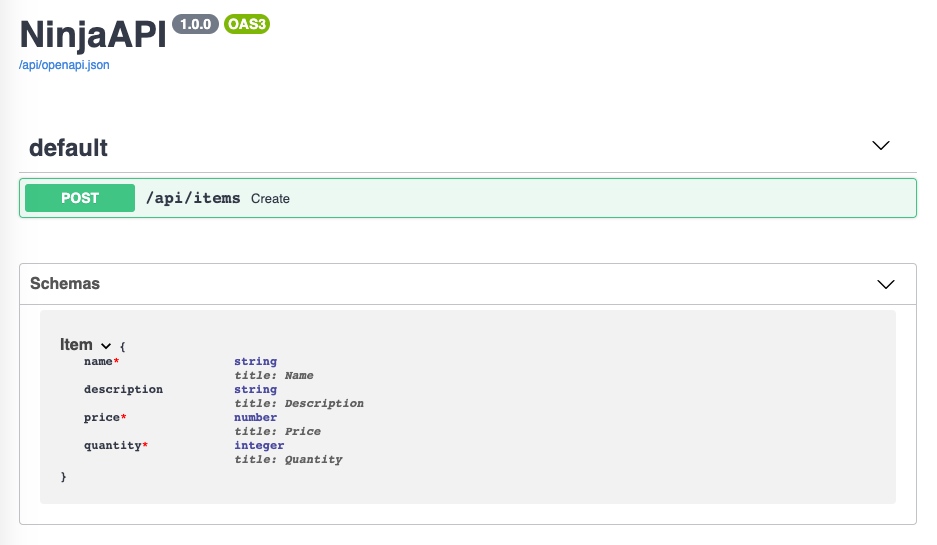
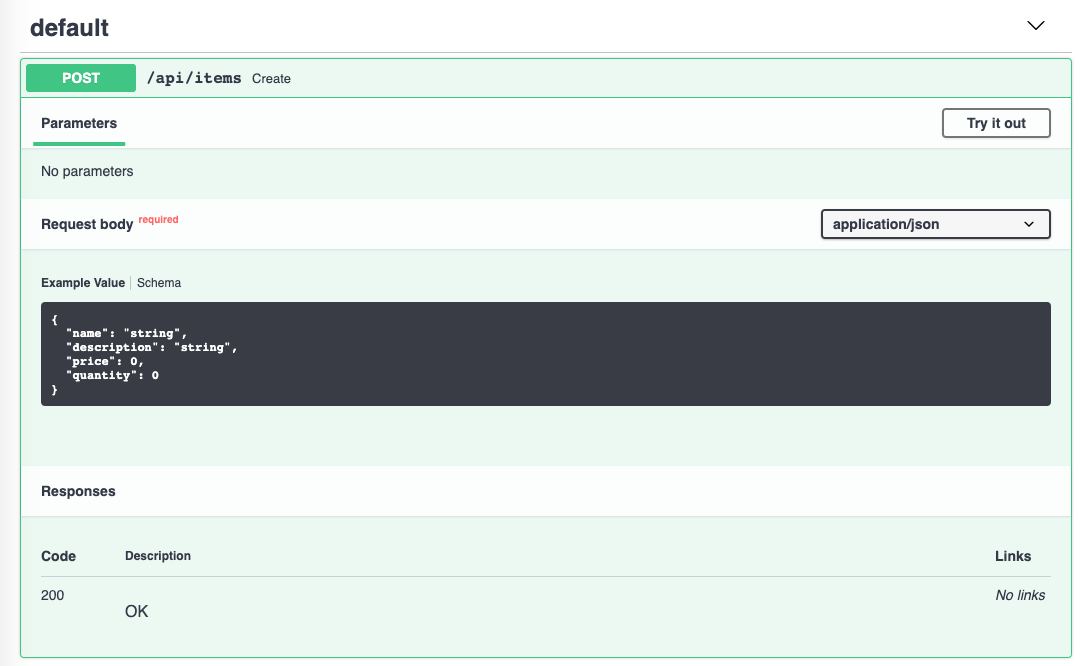
Item's JSON Schema to the generated OpenAPI schema, so it shows up in the interactive docs.
See Schemas for everything you can do inside a Schema class —
nested models, field validators, resolvers, and more.
Content type
The default parser reads the request body as JSON regardless of the
Content-Type header. To parse a different wire format (msgpack, ORJSON,
...), see Request Parsers.
Optional fields and defaults
A field with a default value is optional in the request body. Above,
description defaults to None, so this JSON is also valid — the response
will contain "description": null:
Any other field without a default — name, price, quantity — is
required, and a request missing one gets a 422:
{
    "detail": [
        {
            "type": "missing",
            "loc": ["body", "item", "quantity"],
            "msg": "Field required"
        }
    ]
}
Body + path & query parameters
You can freely mix body arguments with path and query parameters — Django Ninja looks at each argument on its own and decides where it comes from:
- A name that also appears as a
{placeholder}in the path is a path parameter. - A
Schemasubclass, or a collection type such aslist[...], is a body parameter. - Anything else — a singular type like
int,str,float,bool,UUID— is a query parameter.
from ninja import NinjaAPI, Schema

api = NinjaAPI()


class Item(Schema):
    name: str
    description: str | None = None
    price: float
    quantity: int


@api.put("/items/{item_id}")
def update_item(request, item_id: int, item: Item, q: str | None = None):
    return {"item_id": item_id, "item": item.dict(), "q": q}
Here item_id is taken from the path (it matches {item_id}), item from
the request body (it's a Schema), and q from the query string (a plain
str | None). See Path Parameters and
Query Parameters for the full rules on each.
Singular values in the body
A plain scalar argument defaults to a query parameter — to read it from the
body instead, mark it explicitly with Body:
from ninja import Body, NinjaAPI

api = NinjaAPI()


@api.put("/items/{item_id}")
def update_item(request, item_id: int, importance: int = Body(...)):
    return {"item_id": item_id, "importance": importance}
Body accepts the same validation arguments as
Query: gt / ge / lt / le,
min_length, max_length, pattern, plus alias, title, description,
example / examples, deprecated and include_in_schema, and any extra
keyword Pydantic's Field understands. The same annotated shortcut used for
path and query params works here too — importance: Annotated[int,
Body(gt=0)], or equivalently Body[int, P(gt=0)] using the P(...) helper:
from ninja import NinjaAPI, P, Body

api = NinjaAPI()


@api.post("/items/{item_id}")
def update_item(
    request,
    item_id: int,
    importance: Body[int, P(gt=0)],
):
    return {"item_id": item_id, "importance": importance}
A lone scalar body parameter isn't wrapped in an object
importance is the only body-sourced argument in this view, so the
request body must be the bare value itself — just 5, not
{"importance": 5}. Sending {"importance": 5} here raises a 422
("Input should be a valid integer"), because that object is validated
as the integer. Once you add a second body parameter, this stops
applying — see the next section.
Multiple body parameters
As soon as a view declares more than one body-sourced argument — whether
that's several schemas, or a schema plus a singular Body(...) value like
importance above — Django Ninja stops treating the whole JSON body as a
single value. Instead, it expects each argument's data nested under a key
matching its parameter name (or its alias, if you gave it one):
from ninja import NinjaAPI, Schema

api = NinjaAPI()


class Item(Schema):
    name: str
    price: float


class User(Schema):
    username: str


@api.post("/items/{item_id}")
def update_item(request, item_id: int, item: Item, user: User):
    return {"item_id": item_id, "item": item.dict(), "user": user.dict()}
The request body must now look like:
Single vs. multiple body parameters
With a single body parameter (as in the earlier examples), the request body is that value directly — there's no wrapping key. It's only once a second body-sourced argument appears that every body parameter gets embedded under its own key, singular values included.
Validation error paths with a single body parameter
Even with a single body parameter, its argument name shows up as an extra
segment in validation error paths. Given def create(request, payload:
UserIn), an invalid email field reports
"loc": ["body", "payload", "email"] — not ["body", "email"] — because
the argument name is part of how Django Ninja resolves the field
internally.
Lists in the request body
A bare collection type, without any explicit marker, is treated as a body parameter — the request body is a JSON array:
from ninja import NinjaAPI, Schema

api = NinjaAPI()


class Item(Schema):
    name: str
    price: float


@api.post("/items/bulk")
def create_items(request, items: list[Item]):
    return {"count": len(items)}
Warning
This is the opposite of what happens for singular types: a plain int or
str argument defaults to a query parameter, but a plain list[int]
or list[Item] defaults to a body parameter. To read a list from the
query string instead, annotate it explicitly with
Query.
Body(...) itself accepts min_length and max_length, so you can
constrain a list body directly without wrapping it in a Schema:
from ninja import Body, NinjaAPI

api = NinjaAPI()


@api.post("/tags")
def create_tags(request, tags: list[str] = Body(..., min_length=1)):
    return {"tags": tags}
Partial updates with PatchDict
For a PATCH view, you usually want only the fields the client actually
sent — leaving the rest of the object untouched. PatchDict[Schema] makes
every field of Schema optional and gives you back a plain dict containing
only the fields that were present in the request:
from ninja import NinjaAPI, PatchDict, Schema

api = NinjaAPI()


class ItemPatch(Schema):
    name: str
    description: str | None = None
    price: float
    quantity: int


items_db = {1: {"name": "Katana", "description": None, "price": 299.0, "quantity": 10}}


@api.patch("/items/{item_id}")
def patch_item(request, item_id: int, payload: PatchDict[ItemPatch]):
    items_db[item_id].update(payload)
    return {"item_id": item_id, "updated": list(payload.keys())}
You don't need to make the fields on ItemPatch optional yourself —
PatchDict does that for you, and the fields stay required on any other view
that uses the same schema for a full POST or PUT.
A request with {"price": 250.00} produces payload == {"price": 250.0} —
only the field that was actually sent — regardless of how many fields
ItemPatch declares.
Automatic docs and editor support
The JSON Schema for every body parameter is included in the generated OpenAPI schema, and shown in the interactive docs for each operation that uses it:
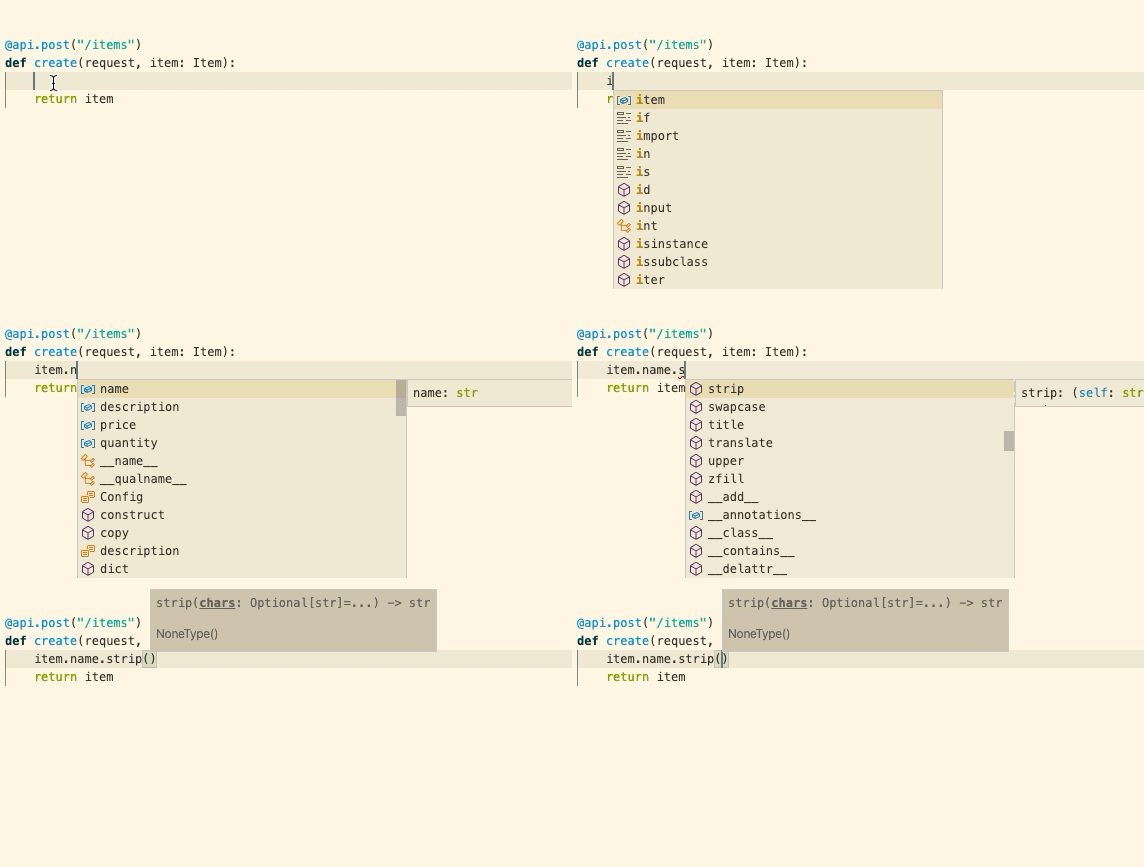
Because the body argument is a real Item instance rather than a plain
dict, your editor gives you completion and type checking for its attributes
throughout the view: