Operations
An operation is a Python function bound to a URL path and one or more HTTP
methods. You declare one by decorating a view function on a NinjaAPI instance
(or a Router) with @api.get, @api.post, and friends.
Defining operations
Django Ninja has a decorator for each of the standard HTTP methods:
from ninja import NinjaAPI

api = NinjaAPI()


@api.get("/hello")
def get_hello(request):
    return {"message": "hello"}


@api.post("/hello")
def post_hello(request):
    return {"message": "hello"}


@api.put("/hello/{id}")
def put_hello(request, id: int):
    return {"message": "hello"}


@api.patch("/hello/{id}")
def patch_hello(request, id: int):
    return {"message": "hello"}


@api.delete("/hello/{id}")
def delete_hello(request, id: int):
    return {"message": "hello"}
The same decorators are available on a Router, so everything on this page applies
whether you register operations directly on api or on a router mounted with
add_router.
Handling multiple methods
To handle several methods with a single function, use api_operation:
from ninja import NinjaAPI

api = NinjaAPI()


@api.api_operation(["POST", "PATCH"], "/tasks/{task_id}")
def upsert_task(request, task_id: int):
    return {"task_id": task_id}
This is also how you implement methods that don't have their own shortcut
decorator, such as HEAD or OPTIONS:
from ninja import NinjaAPI

api = NinjaAPI()


@api.api_operation(["HEAD", "OPTIONS"], "/tasks")
def tasks_meta(request):
    return {}
Sync vs async
Any operation can be declared with def or async def — Django Ninja detects
this automatically and calls the view accordingly:
You can freely mix sync and async operations on the same API or router. See Async Support for the details on running under ASGI and calling async code from your views.
Operation options
Every operation decorator (get, post, put, patch, delete, api_operation)
accepts the same set of keyword-only arguments, on top of path:
| Argument | Type | Default | Description |
|---|---|---|---|
response |
schema, or dict[int, schema] |
not set (returned value is serialized as-is) | Validates and serializes the return value. See Responses. |
operation_id |
str \| None |
auto-generated | Unique OpenAPI operationId for this operation. |
summary |
str \| None |
auto-generated from the function name | Short, human-readable name shown in the docs UI. |
description |
str \| None |
the function's docstring | Longer explanation shown in the docs UI. |
tags |
list[str] \| None |
inherited from the router | Groups operations together in the docs UI. |
deprecated |
bool \| None |
None (False) |
Marks the operation as deprecated in the schema and docs UI. |
by_alias |
bool \| None |
None (False) |
Serialize response fields using their alias instead of their Python name. |
exclude_unset |
bool \| None |
None (False) |
Omit response fields that were never explicitly set. |
exclude_defaults |
bool \| None |
None (False) |
Omit response fields equal to their default value. |
exclude_none |
bool \| None |
None (False) |
Omit response fields whose value is None. |
url_name |
str \| None |
the view function's name | Name used to reverse() this operation's URL. See URLs & Reverse. |
include_in_schema |
bool |
True |
Excludes the operation from the OpenAPI schema (and docs UI) when False. |
openapi_extra |
dict \| None |
None |
Extra keys merged into this operation's OpenAPI entry. |
They also accept auth and throttle, which override the API/router defaults for
that single operation — see Authentication and
Throttling.
tags
@api.get("/hello/")
def hello(request, name: str):
    return {"hello": name}


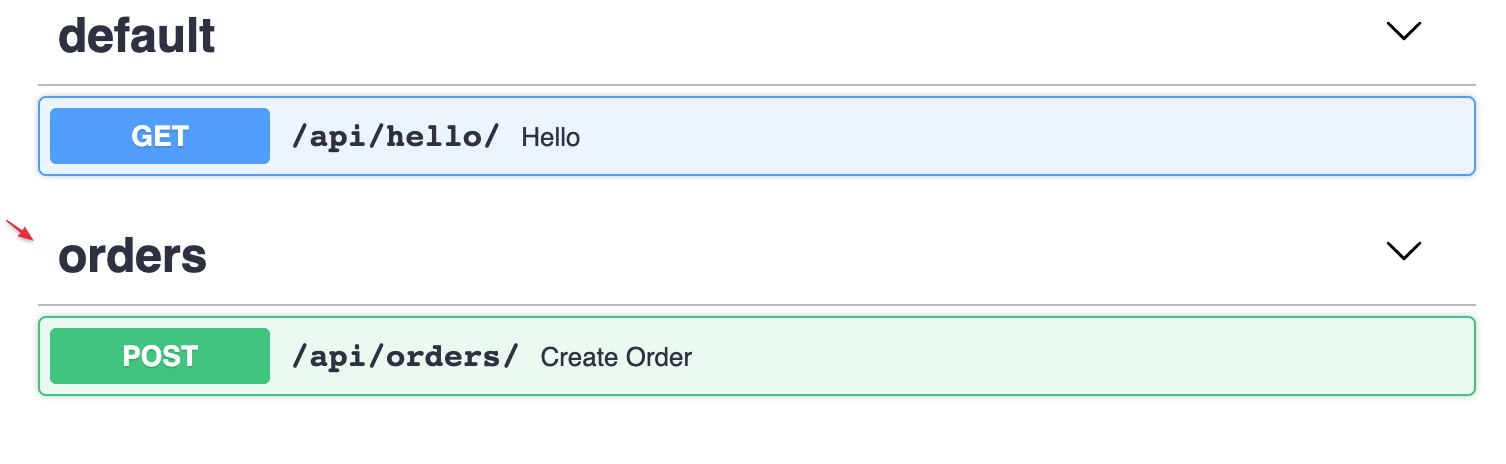
@api.post("/orders/", tags=["orders"])
def create_order(request, order: str):
    return {"success": True}
Tools that render the schema may group operations by tag — Swagger UI, for example, uses them to build its collapsible sections:
Tags on a whole router
Instead of tagging every operation individually, tag them all at once, either on the
Router itself or when mounting it:
from ninja import Router

router = Router(tags=["events"])

# or, override it for a particular mount:
api.add_router("/events/", router, tags=["events"])
An operation's own tags argument always takes priority over the router's. See
Routers for more on router-level configuration.
summary
By default, the summary is generated by title-casing the function name:

Pass summary to override it (handy for a nicer name, or a translation):

description
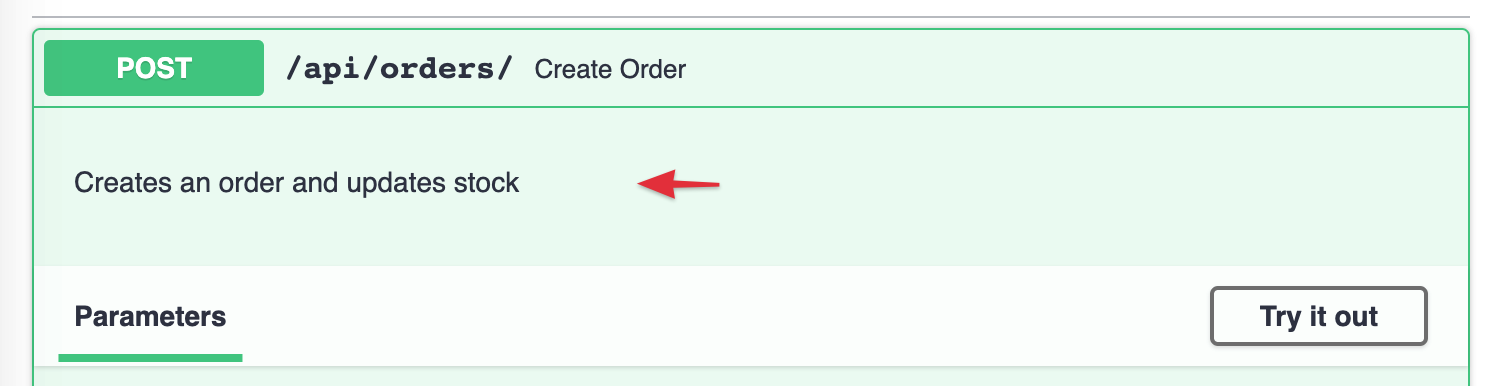
Use description, or a plain docstring, to explain what the operation does:
@api.post("/orders/", description="Creates an order and updates stock")
def create_order(request, order: str):
    return {"success": True}
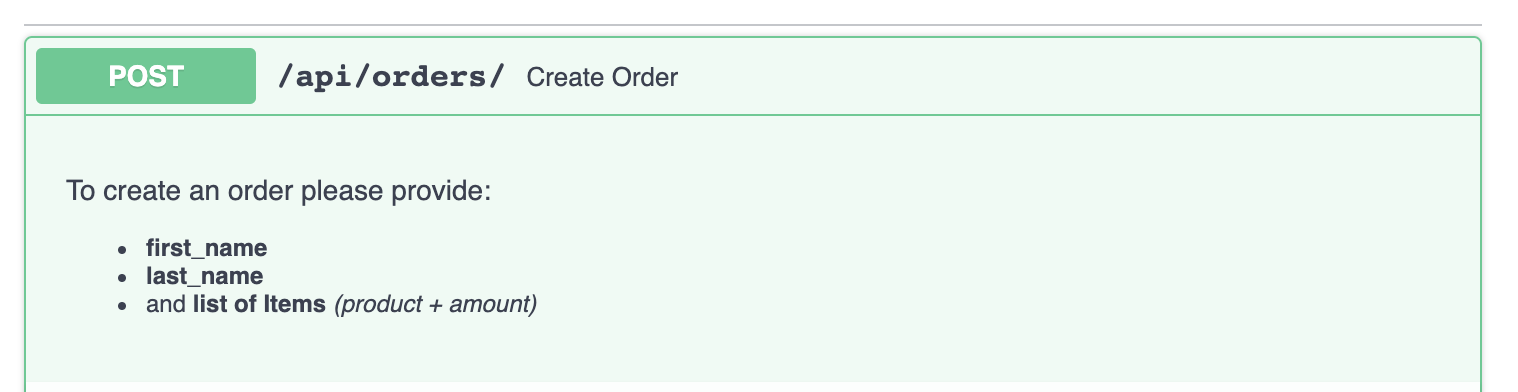
A docstring is convenient for a longer, multi-line description — including simple Markdown, which the docs UI renders:
@api.post("/orders/")
def create_order(request, order: str):
    """
    To create an order please provide:
     - **first_name**
     - **last_name**
     - and **list of Items** *(product + amount)*
    """
    return {"success": True}
operation_id
The OpenAPI operationId is an optional unique string identifying an operation —
when set, it must be unique across the whole schema. By default, Django Ninja
builds it from the view's module and function name.
Set it explicitly per operation:
Or override the naming logic for the whole API by subclassing NinjaAPI and
overriding get_openapi_operation_id:
from ninja import NinjaAPI
from ninja.operation import Operation


class MySuperApi(NinjaAPI):
    def get_openapi_operation_id(self, operation: Operation) -> str:
        # operation gives you .path, .view_func, .methods, etc.
        return operation.view_func.__name__


api = MySuperApi()
deprecated
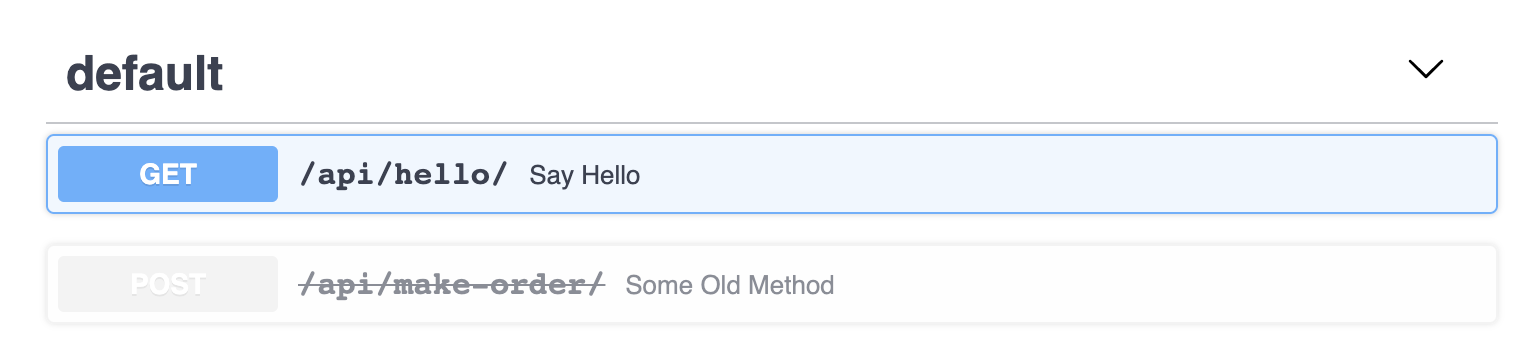
Mark an operation as deprecated without removing it:
@api.post("/make-order/", deprecated=True)
def some_old_method(request, order: str):
    return {"success": True}
It's flagged as deprecated in both the JSON schema and the interactive docs:
include_in_schema
Hide an operation from the OpenAPI schema (and therefore the docs UI) while keeping it fully functional — useful for internal or health-check endpoints:
openapi_extra
For anything the other options don't cover, merge arbitrary keys straight into the
operation's OpenAPI entry with
openapi_extra. For example, to describe a request body that isn't backed by a
schema:
@api.get(
    "/tasks",
    openapi_extra={
        "requestBody": {
            "content": {
                "application/json": {
                    "schema": {
                        "required": ["email"],
                        "type": "object",
                        "properties": {
                            "name": {"type": "string"},
                            "phone": {"type": "number"},
                            "email": {"type": "string"},
                        },
                    }
                }
            },
            "required": True,
        }
    },
)
def some_operation(request):
    pass
Or to document extra responses beyond the ones generated automatically:
@api.post(
    "/tasks",
    openapi_extra={
        "responses": {
            400: {"description": "Error Response"},
            404: {"description": "Not Found Response"},
        },
    },
)
def some_operation_2(request):
    pass
by_alias, exclude_unset, exclude_defaults, exclude_none
These four map directly onto the underlying Pydantic model_dump() call used to
serialize your response, letting you tune the output per operation:
from ninja import Schema
from pydantic import Field


class UserOut(Schema):
    name: str = Field(alias="userName")
    nickname: str | None = None


@api.get("/users/{user_id}", response=UserOut, by_alias=True, exclude_none=True)
def get_user(request, user_id: int):
    return UserOut(userName="John", nickname=None)
Here the response is keyed by userName instead of name (by_alias=True), and
nickname is dropped entirely since it's None (exclude_none=True).
All four default to False. They can also be set once on a Router(...) to apply
to every operation registered on it, unless an operation overrides them explicitly.
Tip
These are output-serialization switches, not validation rules — they only
affect what ends up in the response body. For everything else about shaping
responses (multiple status codes, returning a plain HttpResponse, streaming,
etc.), see Responses.